Pipeflow
A next-generation PipeWire graph and control application built in Rust with egui. Replaces the fragmented patchwork of Helvum, pavucontrol, and qpwgraph with a single keyboard-driven tool for visual audio routing, live volume and mute control, and saved graph configurations. Built for both desktop audio and live performance.
Features
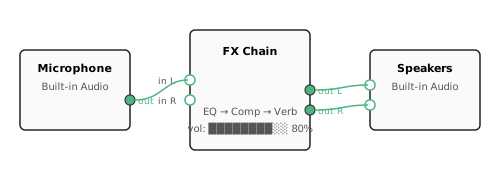
The graph view lets you pan, zoom, drag nodes, and connect ports by dragging between them.
Per-node volume, mute, and live peak/RMS meters sit in the sidebar. A fuzzy command palette
(Ctrl+K) gives keyboard access to everything. Saved setups let you recall a
trusted routing configuration in one shot.
Safety Modes
Three protection levels prevent accidents in critical situations:
| Mode | What it blocks |
|---|---|
| Normal | Nothing — full control |
| Read-only | All routing and volume changes |
| Stage | Everything — observation only, zero risk |
Remote Control
Run Pipeflow headless on a remote machine (e.g. a rack-mounted Linux box), then connect from your laptop over SSH. The SSH tunnel is set up automatically — no manual port forwarding.
# On the rack machine
pipeflow --headless --token s3cr3t

# On your laptop
pipeflow --remote user@rackbox --token s3cr3t
Keyboard Shortcuts
Ctrl+K / /   command palette
H            toggle help panel
I            toggle inspector
[ / ]        toggle sidebars
+ / -        zoom in / out
Ctrl+0       fit all nodes
Delete       remove selected links